
♜Amazon & e-commerce
How many images should an Amazon listing have?
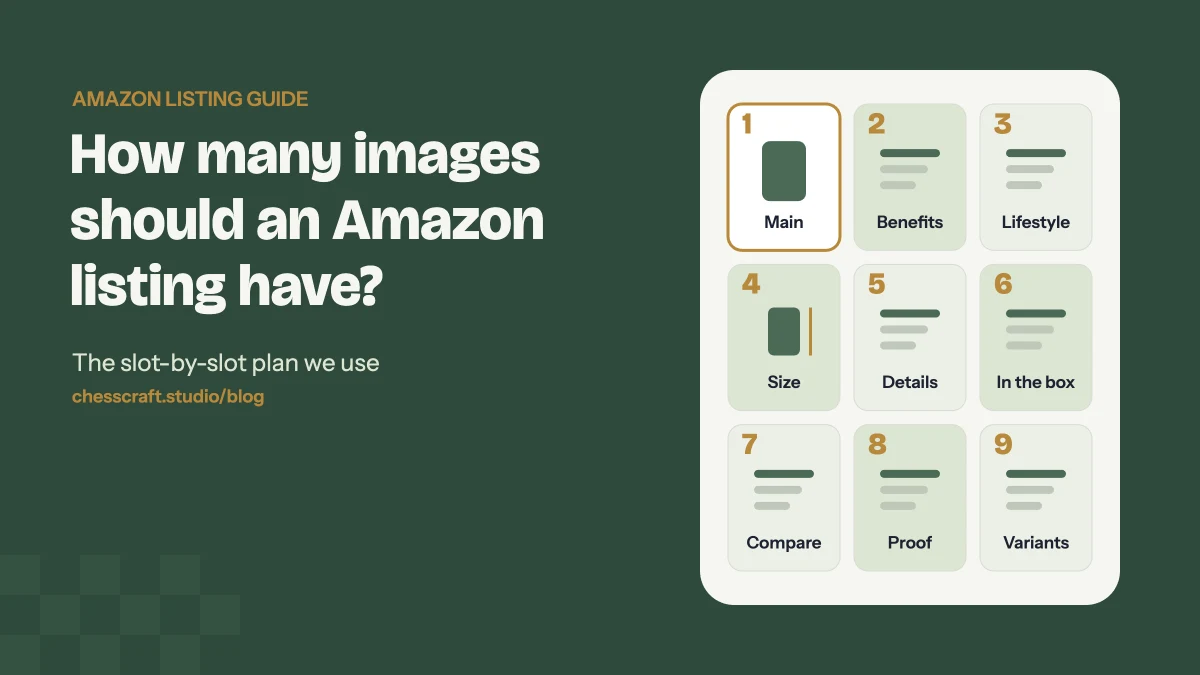
Short answer: use every image slot Amazon gives you. In most categories that is one main image plus up to eight more, and each one should answer a different question a shopper has before buying.
Shoppers can’t pick up your product, so your images do the job of the shelf, the packaging and the sales assistant at once. On mobile, most people swipe through the images before they read a single bullet point. A listing with three photos leaves questions unanswered; a listing with a planned set of seven to nine images answers them in order.
Below is the image-by-image plan we use for Amazon listing image projects, plus the rules Amazon checks and the mistakes we see most often.
The image-by-image plan
Think of the image stack as a short sales conversation. Each slot answers the next question in a shopper’s head.
| # | What it shows and why |
|---|---|
| 1 | Main image Product alone on a pure white background, filling most of the frame. This is the image shoppers see in search results, so it decides whether they click. |
| 2 | Key benefits infographic The 3–4 reasons to buy, written as short benefits rather than features, with simple icons. |
| 3 | Lifestyle or in-use shot The product being used by someone who looks like your buyer, in a setting that matches how they'll use it. |
| 4 | Size and dimensions Measurements on the product plus a familiar object or a hand for scale. This answers one of the most common pre-purchase questions. |
| 5 | Details and materials Close-ups of texture, finish, stitching or ingredients — the things a shopper would check if they could hold it. |
| 6 | What's in the box Every item included, laid out clearly, so there are no surprises on delivery. |
| 7 | Comparison or how it works Your product vs a generic alternative, or a 3-step 'how to use' panel. |
| 8–9 | Proof and variants Certifications, guarantees, colour or size variants, or a second lifestyle angle if you still have slots left. |
You don’t have to follow this order exactly. If size is the number one return reason in your category, move the dimensions image to slot two. The point is that no two images should do the same job.
Main image rules Amazon checks
The main image has the strictest rules, because it appears in search results next to your competitors.
- Pure white background (RGB 255, 255, 255).
- The product fills most of the frame — around 85% is the common guideline.
- Only the product being sold: no extra props, text, logos, badges or watermarks.
- A real photo or an accurate render of the actual product, in focus and well lit.
Rules can differ by category (books, clothing and some others have their own requirements). Always check the current image guidelines in your Seller Central account before uploading.
Image size and format
- At least 1000 pixels on the longest side, so the zoom feature works.
- 2000 × 2000 pixels is what we design at: sharp when zoomed and consistent across every slot.
- JPEG is the safest format, with sRGB colour so it looks the same on every screen.
- Keep every image the same square size so the gallery doesn’t jump when shoppers swipe.
Secondary images: what makes them work
Design for a phone screen first
Most Amazon browsing happens on mobile, where your image is roughly the width of a thumb-scroll. Use large text, no more than 5–7 words per point, and strong contrast. If you have to zoom to read it, it’s too small.
Benefits, not features
“BPA-free Tritan plastic” is a feature. “Safe for kids, won’t crack if dropped” is the benefit. Lead with the benefit and put the feature underneath.
Look like one brand
Use the same fonts, colours and icon style across all images. A consistent set looks more trustworthy than seven images from seven different templates — and it carries over into your A+ Content and brand store.
Common mistakes that cost sales
- Repeating the same angle. Four photos of the front of the product answer one question four times.
- Tiny text on infographics. Designed on a big monitor, unreadable on a phone.
- No sense of scale. Shoppers guess the size wrong, then return it.
- Lifestyle shots that don’t match the buyer. The scene should look like your customer’s life, not a generic stock photo.
- AI images that change the product. If the label, colour or shape doesn’t match what arrives, you get returns and bad reviews.
- Leaving slots empty. Every empty slot is a question you didn’t answer.
Want a quick answer for your own listing? Upload your images to our free Amazon Listing Image Grader and get a score out of 100 in seconds.
Quick checklist before you upload
- Main image: white background, product only, fills most of the frame.
- All images square and at least 1000 px (ideally 2000 px).
- Benefits, size, details, in-the-box and lifestyle are all covered.
- Text readable on a phone without zooming.
- Same fonts, colours and style across every image.
- Product looks exactly like what the customer receives.
Questions
How many images can you upload to an Amazon listing?
Most categories give you a main image plus up to eight additional image slots, and you can add a product video. The exact number shown can vary by category and device, so check the image slots in your Seller Central listing.
What size should Amazon product images be?
At least 1000 pixels on the longest side so shoppers can zoom. We design at 2000 × 2000 pixels, which gives sharper zoom and works for every slot.
Can the main image have text or a lifestyle background?
No. The main image should show the product on a pure white background (RGB 255, 255, 255) with no added text, logos, badges or props. Save text and lifestyle scenes for the other slots.
Do infographic images really help sales?
They help shoppers understand the product without reading the bullet points, which most people skim on mobile. A clear benefits image and a size image answer the questions that usually stop a purchase.
Should I use AI images on Amazon?
AI is useful for backgrounds, scenes and seasonal variants, but the product itself must look exactly like what the customer receives. We composite the real product by hand into AI-generated scenes so labels, colours and proportions stay accurate.