♞Websites
7 signs your website needs a redesign
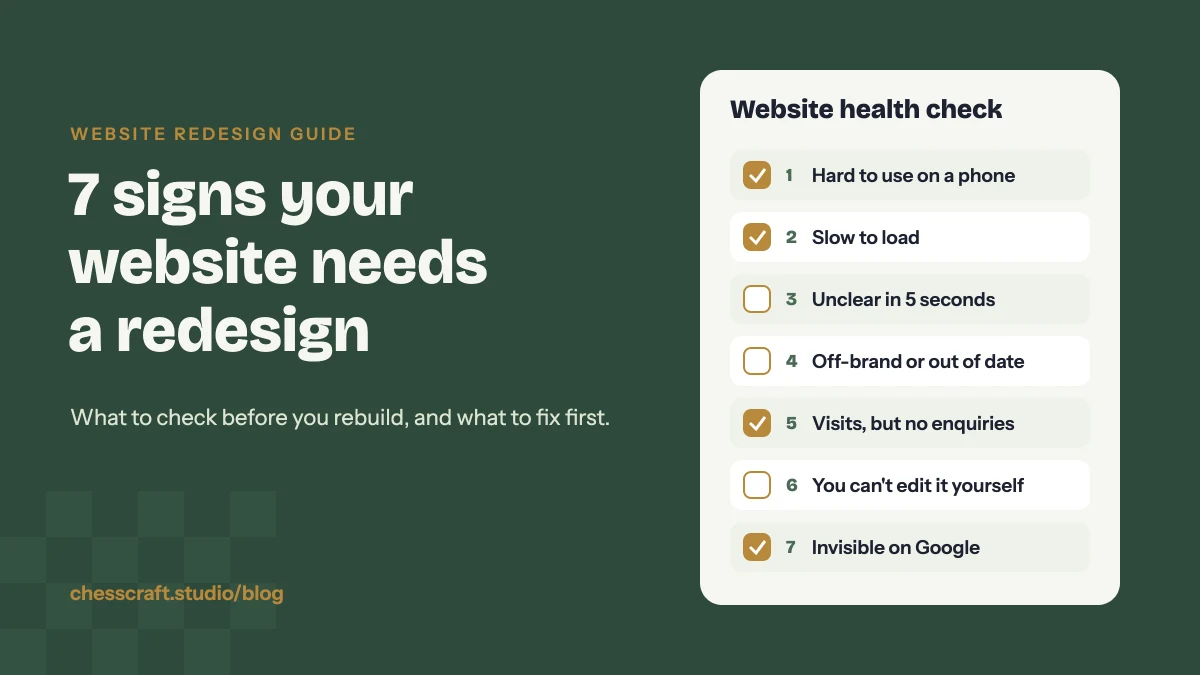
Short answer: your website needs a redesign when it stops doing its job: it is hard to use on a phone, slow, unclear about what you do, out of date with your brand, or it simply doesn’t bring in enquiries. If two or more of the signs below sound familiar, a redesign will usually pay off faster than more patching.
Most business websites don’t break all at once. They drift. A new service gets added as an extra page, the logo changes but the site doesn’t, a plugin slows things down, and one day you notice you’d rather send people to your Instagram than your own website.
Here are the seven signs we look for when a business asks us whether a website redesign is worth it, and what to do about each one.
1. It’s awkward to use on a phone
Open your site on your own phone and try to do the one thing a customer would do: find a product, check a price range, book a call or send an enquiry. If you have to pinch, zoom, hunt for the menu or fight a pop-up, your customers are doing the same and many of them give up.
Google also looks at the mobile version of your site first when it decides how to rank it, so a poor phone experience costs you twice: fewer people find you, and fewer of those who do stay.
2. It’s slow to load
People decide very quickly whether a page is worth waiting for. Common causes of a slow site are oversized images, too many plugins, heavy page-builder layouts, sliders nobody watches and cheap hosting. Some of these can be fixed in place. But if the theme itself is bloated, a rebuild on a lighter setup is often the cleaner fix.
A quick test: run your homepage through Google’s free PageSpeed Insights tool and look at the mobile result, not just desktop.
3. Visitors can’t tell what you do in five seconds
Show your homepage to someone who doesn’t know your business for five seconds, then ask them three questions: what do you sell, who is it for, and what should they do next? If they can’t answer, the problem isn’t the visitor.
Vague headlines like “Welcome to our website” or “Quality you can trust” are the usual culprit. A clear headline, one line of proof and one obvious button do more than a page full of copy.
4. It doesn’t match your brand or your business any more
Your business has moved on but the site hasn’t. Maybe the logo or colours changed, you now sell different products, or your best services are buried three clicks deep while old ones sit on the homepage. When your social media, packaging and website all look like different companies, people trust all of them a little less.
If you’ve refreshed your brand identity, the website should be the first place it shows.
5. It gets visits but not enquiries or sales
Traffic without enquiries usually points to a few fixable problems:
- No clear next step on each page, or too many competing buttons.
- A contact form that asks for too much, or a contact page that is hard to find.
- No proof: no work examples, no reviews, no photos of real products or people.
- Prices, delivery or process left vague, so people leave to ask a competitor instead.
A redesign lets you plan each page around one action, instead of adding more buttons to a layout that wasn’t built for it.
6. You can’t update it yourself
If changing a phone number, adding a product or posting a new project means emailing a developer and waiting a week, the site will always be out of date. Many older sites were built on themes or custom code that only one person understands.
A good redesign gives you simple, reusable page sections you can edit yourself, so small changes take minutes, not invoices.
7. It doesn’t show up on Google
Search for the main service you offer plus your city or niche. If your site doesn’t appear, or appears with a messy title and no description, you’re relying entirely on word of mouth and social media.
Some search problems are technical (missing page titles, no sitemap, broken links, pages blocked from indexing). Others are structural: one page trying to rank for everything, or no page that answers the questions your customers actually search. A redesign is the right time to plan pages around those searches.
How we check a site before suggesting a redesign
When someone sends us their website, we don’t start with the design. We go through the same short routine every time:
- Phone first. We open the site on a phone and try to complete the main action, such as an enquiry, a booking or a purchase, and note every point where it gets harder than it should.
- Speed test. We run the homepage and one inner page through PageSpeed Insights and note what is slowing them down, usually images, scripts or the theme.
- Five-second read. We read only the top of the homepage and write down what we think the business sells. If our guess is wrong or vague, the messaging needs work.
- Search check. We search for the business name and its main service to see which pages appear and how their titles and descriptions look.
- Brand match. We put the site next to the brand’s Instagram, packaging or marketplace listings to see whether they look like the same company.
Those notes usually make the answer obvious: either a list of fixes we can make to the current site, or a short plan for a redesign.
Refresh or full redesign?
Not every tired website needs to be rebuilt from scratch. Here’s how we usually decide:
| ✓ | Situation |
|---|---|
| R | A refresh is enough The structure works and pages load well, but the look is dated, photos are old or the copy is unclear. New visuals, better headlines and cleaner layouts will do the job. |
| F | A full redesign makes sense It’s slow or hard to use on mobile, you can’t edit it, your offer has changed, or the site isn’t bringing enquiries. Fixing these piece by piece usually costs more time than starting from a clear plan. |
Before you start a redesign
A redesign goes faster and turns out better when a few things are ready before anyone opens a design tool:
- One clear goal for the site (enquiries, bookings, online sales).
- A list of your current pages, and which ones get visits.
- Your logo files, brand colours and fonts.
- Real photos of your products, team or work.
- Two or three websites you like, and why.
- A note of your important URLs, so nothing that ranks today gets lost.
Changing URLs during a redesign is the most common way sites lose their Google rankings. Keep the addresses that already rank, or set up redirects from the old ones to the new pages.
Questions
How often should a website be redesigned?
There’s no fixed rule. We suggest reviewing your site every couple of years, and any time your offer, brand or customers change. Small improvements in between keep it from drifting too far.
Will a redesign hurt my Google rankings?
It can if page addresses change without redirects or if useful content is removed. Planned properly, keeping the URLs that rank and redirecting the rest, a redesign usually helps, because the site gets faster and clearer.
How long does a website redesign take?
For a small business site, usually a few weeks once the content and photos are ready. Larger e-commerce sites take longer. Content is the step that most often slows a project down, so gather it early.
Can I redesign my website without changing platforms?
Yes. Most WordPress, Shopify and Squarespace sites can be redesigned on the same platform. We only suggest moving if the current setup is what is causing the problems, such as speed or editing.
Do I need new photos for a redesign?
Real photos of your products, work and team build more trust than stock images. If a full shoot isn’t practical, we can create product scenes and mockups from your existing product photos.

About the author
Abdullah Zahoor is the founder of ChessCraft Studio and a designer with around five years of experience working with e-commerce brands and small businesses in the US, UK, UAE and Australia on websites, brand identity, packaging and Amazon listings.