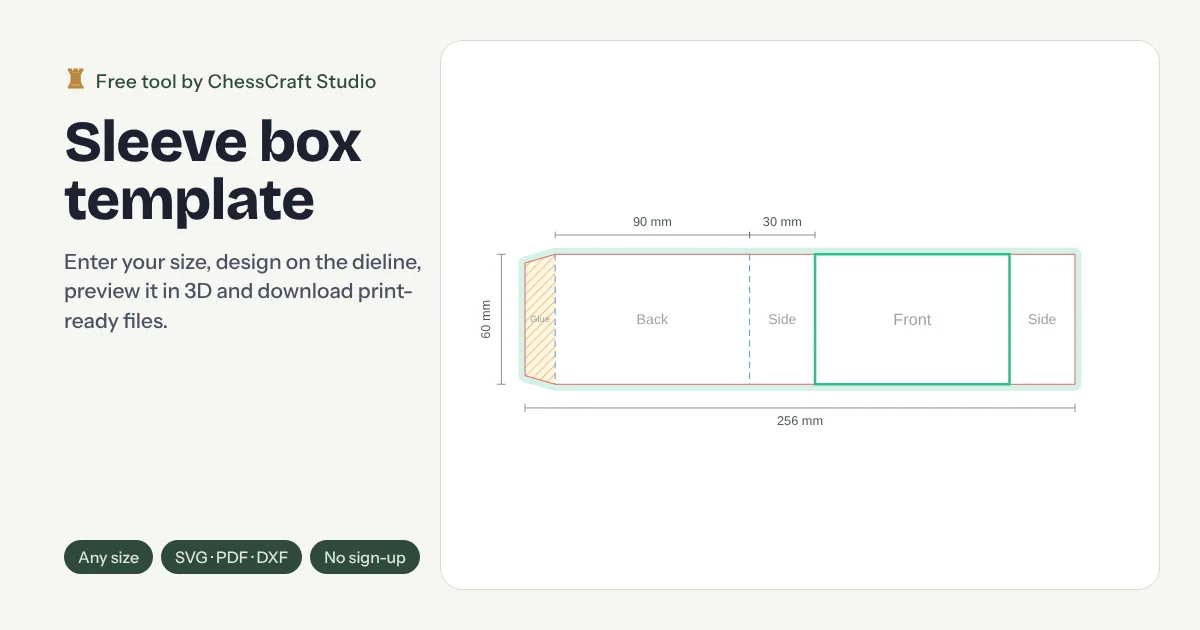
Make a packaging sleeve dieline to your exact size: an open-ended band that wraps around a product, tray or plain box. Sleeves are a low-cost way to brand soap, candles, food trays and gift boxes. Enter your dimensions, design on the dieline, preview it in 3D and download SVG, PDF, DXF or PNG. Free, with no sign-up.
13 box stylesDesign on the dieline3D preview with your artworkWindow cutoutsSVG · PDF · DXF · PNGPress sheet calculator
4Your dieline
CutFoldBleedSafe
Tip: click any panel on the dieline to design it.
–Flat size (incl. bleed)
–Approx. outer size
–Board area per box
–Inner volume
SVG keeps artwork, cut, fold and bleed on separate layers for Illustrator, Affinity or Figma. PDF has vector cut and fold lines over your artwork. DXF has cut, crease, bleed, safe-area and glue layers for die-makers and cutting tables.
Free print-ready packaging checklist
The 21 checks we run before any packaging goes to print. Get it by email, plus a download link straight away.
5Design on your dieline
Editing
Colours
Image and logo
Panel image
Logo
Text
Orientation is handled for you: lids, walls and flaps are rotated so the design reads correctly once the box is folded. Images never leave your computer.
63D preview
Drag to rotate. Shows the assembled box shape with your design on each face.
7Press sheet calculator
How many blanks fit on one printing sheet, and how many sheets your order needs.
Simple grid with a 10 mm gripper margin. A die-maker can often nest blanks tighter.
Dieline done. Now make it sell.
We design print-ready packaging for brands in the UK, US, UAE and beyond. Send us this dieline and we’ll design the artwork, mockups and print files.
A sleeve dieline is the flat plan for an open-ended band that slides over a tray, box or product, often used to add branding to stock packaging. You can make one free on this page: enter the inside length, width and height and the board thickness, then download a print-ready PDF, SVG or DXF with cut, crease, bleed and safe-area lines. No sign-up, no watermark.
Best for
Soap bars and candles
Chocolate and confectionery
Sleeves over plain trays
Limited editions and promotions
What you get free
13 box styles, sized from your inside dimensions
Board thickness added to every panel
Cut, crease, bleed, safe area and glue on separate layers
PDF and SVG for Illustrator, DXF for cutting tables, PNG for previews
Design on the dieline and preview it on a 3D box
Press sheet calculator for how many fit on a sheet
Always print a test sample and confirm the dieline with your printer or die-maker before a full production run.
Link to this free tool
Writing a packaging guide, a resource list or a class handout? Copy a ready-made link. It's free to share and use with clients, students or your printer.